100% Free
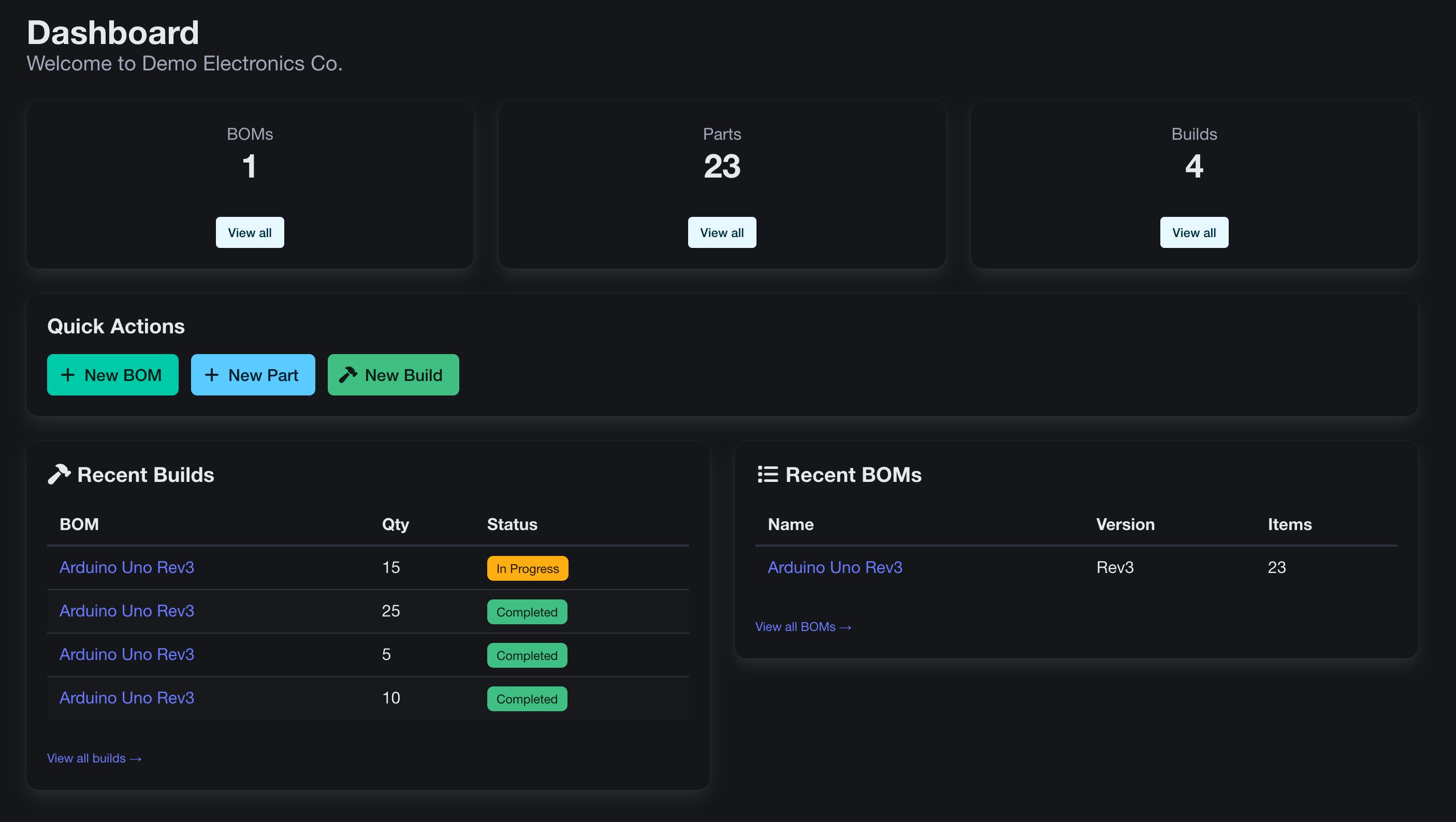
Streamline Your Hardware Development
The all-in-one Bill of Materials management platform for hardware teams. Organize parts, track builds, and collaborate effortlessly.
No credit card required • Unlimited BOMs
New: AI-connected with MCP
Talk to your BOM. Get things built.
Connect your AI assistant to BomBuilds with Model Context Protocol (MCP). Turn everyday requests into real updates to your parts and BOMs, right from your conversation.
- Find parts by name, manufacturer or part number, and inspect existing BOMs.
- Create and update parts, add lines to existing BOMs, and set quantities and reference designators.
- Upload part images, PDF attachments and STL models without leaving your assistant.
TRY A REQUEST LIKE THIS
“Find the 10k 0603 resistors and add 12 to the controller board BOM, with references R1–R12.”
An example workflow using your existing parts and BOMs, with the permissions you choose.
How do I connect my assistant?
In your organization's menu, open API tokens and create a token. Connect a compatible MCP client that supports Streamable HTTP and Bearer-token authentication to the endpoint below, using your token in the Authorization header.
https://app.bombuilds.com/mcp
Choose read access, part editing and/or BOM editing. Each token is scoped to one organization and can be revoked from BomBuilds. File uploads support up to 10 MiB per file.
Trusted by hardware teams building the future
FEATURES
Everything you need to manage BOMs
Powerful tools designed for hardware teams of all sizes
BOM Management
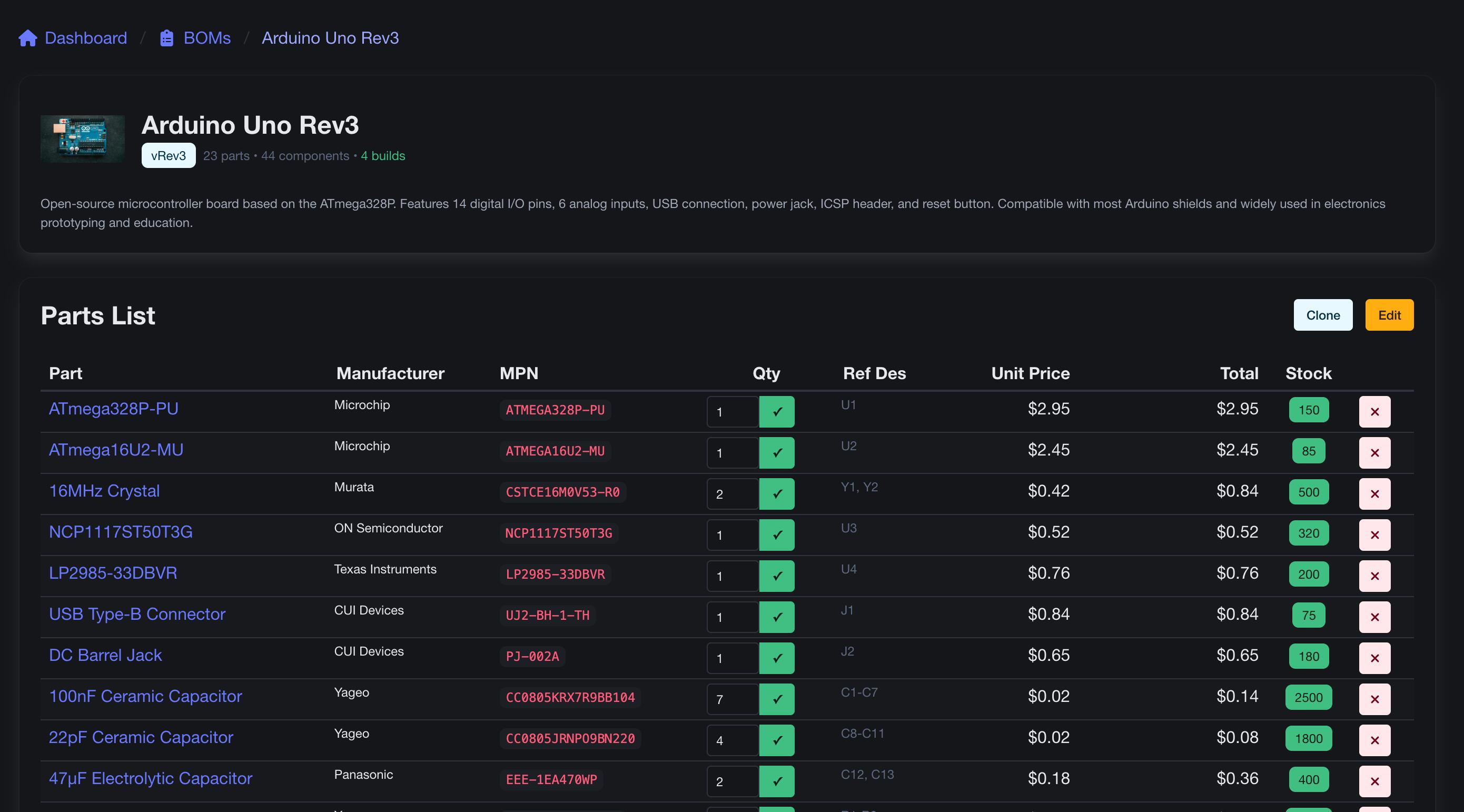
Create, edit, and clone BOMs with ease. Track versions, add images, and manage pricing automatically.
Parts Library
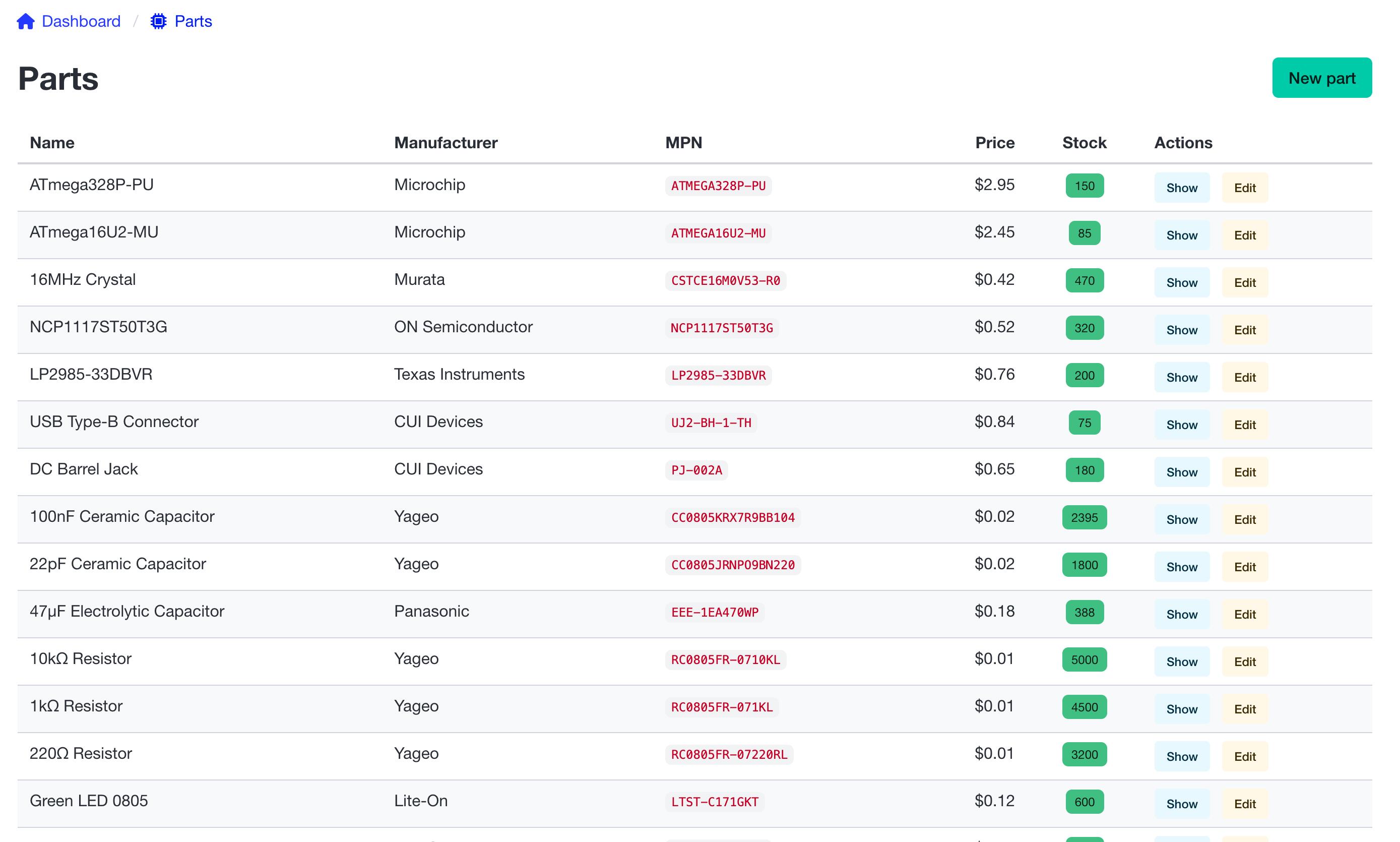
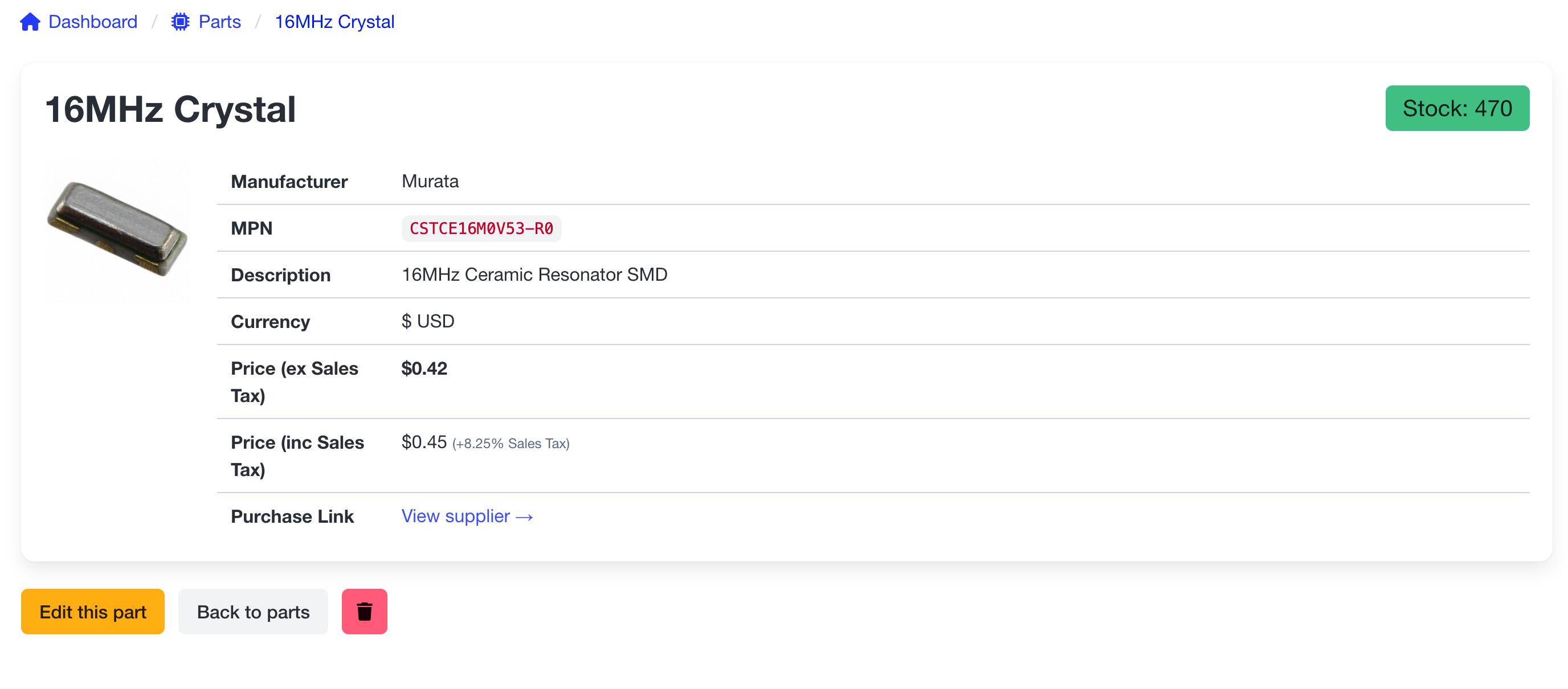
Build a comprehensive parts catalog with images, multi-currency pricing, and stock tracking.
Build Tracking
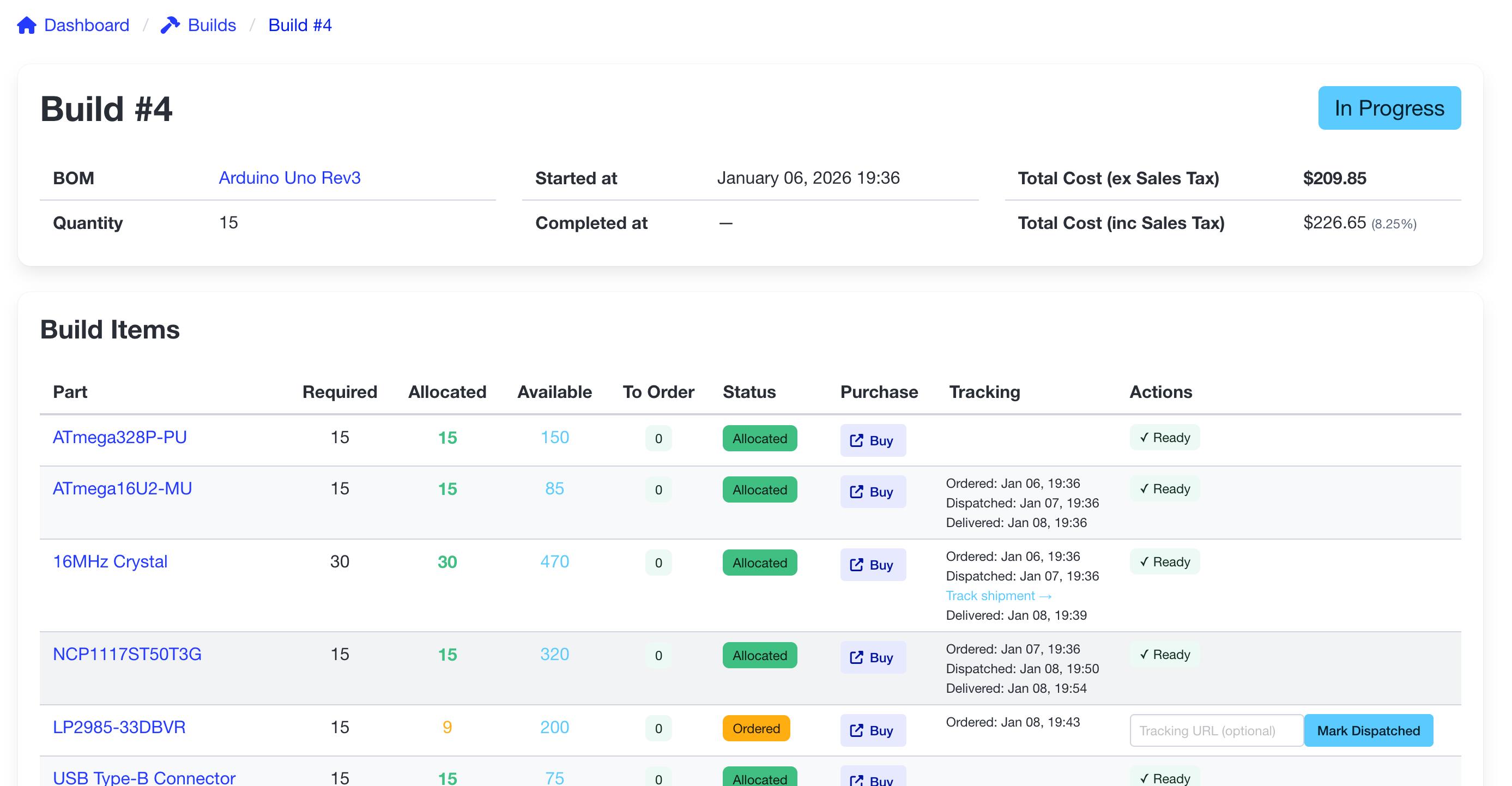
Link BOMs to builds, track status and timeline, and maintain detailed historical records.
Multi-Currency
Work globally with support for GBP, USD, EUR, CAD, AUD, NOK, SEK, and DKK.
One-Click Clone
Duplicate entire BOMs with all items and images instantly. Perfect for version iterations.
Image Support
Attach images to parts and BOMs for visual reference. Never confuse components again.
HOW IT WORKS
Get started in minutes
Create Organization
Set up your workspace and invite team members
Add Your Parts
Build your parts library with pricing and images
Create BOMs
Assemble BOMs from your parts catalog
Track Builds
Manage production and track progress
Have Questions? Let's Talk!
Whether you're curious about features, need help getting started, or want to share feedback — our team is here to help.
Contact UsFAQ
Frequently Asked Questions
What is a Bill of Materials?
A BOM is a comprehensive list of components, materials, and assemblies needed to manufacture a product. It's essential for procurement, cost estimation, and production planning.
Is BomBuilds really free?
Yes! BomBuilds is completely free during our initial launch. You get full access to all features with no limitations.
Is my data secure?
Absolutely. All data is encrypted in transit and at rest. We follow industry-standard security practices to keep your information safe.
Can I import existing BOMs?
We're working on import features. In the meantime, our intuitive interface makes it quick to recreate your BOMs.
What currencies are supported?
We support GBP, USD, EUR, CAD, AUD, NOK, SEK, and DKK with more currencies coming soon.
Ready to streamline your BOMs?
Join hardware teams using BomBuilds to build better, faster.
Get Started FreeNo credit card required • Free forever during launch